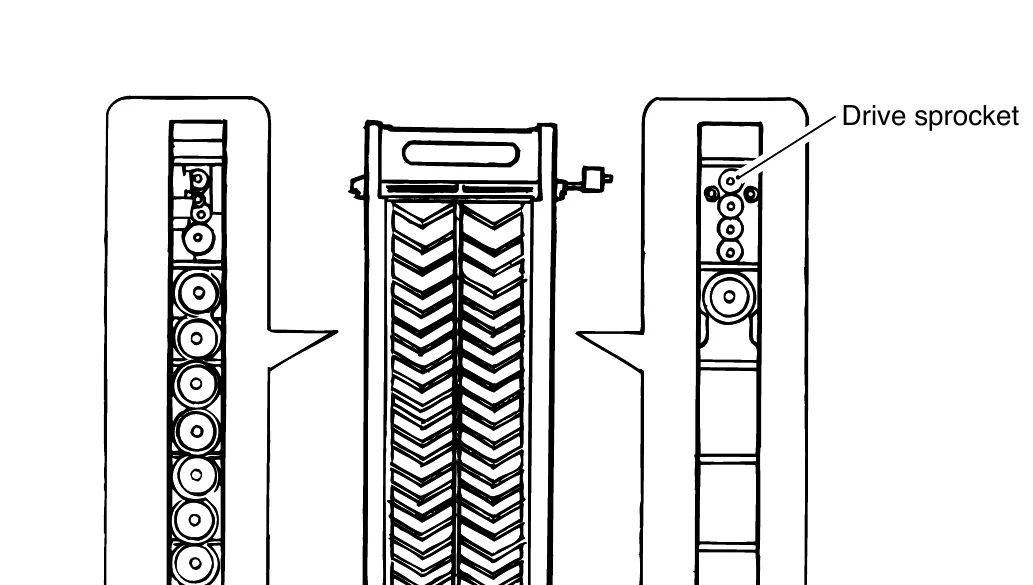
Adjusting the pitch of the processing rack
When to use this: only if you removed the drive sprocket or feed idle gear from their shafts inside a processing rack (CD/BL/FIX/STB) — not needed if you only removed/reinstalled the whole rack, and not needed if you only replaced a GUIDE, FILM part without taking a gear off its shaft.
Source: Noritsu QSF service manual, §2101 “Rack Unit — Adjusting the Pitch of the Processing Rack” (V30/V50/V100), p. 71
Why this matters
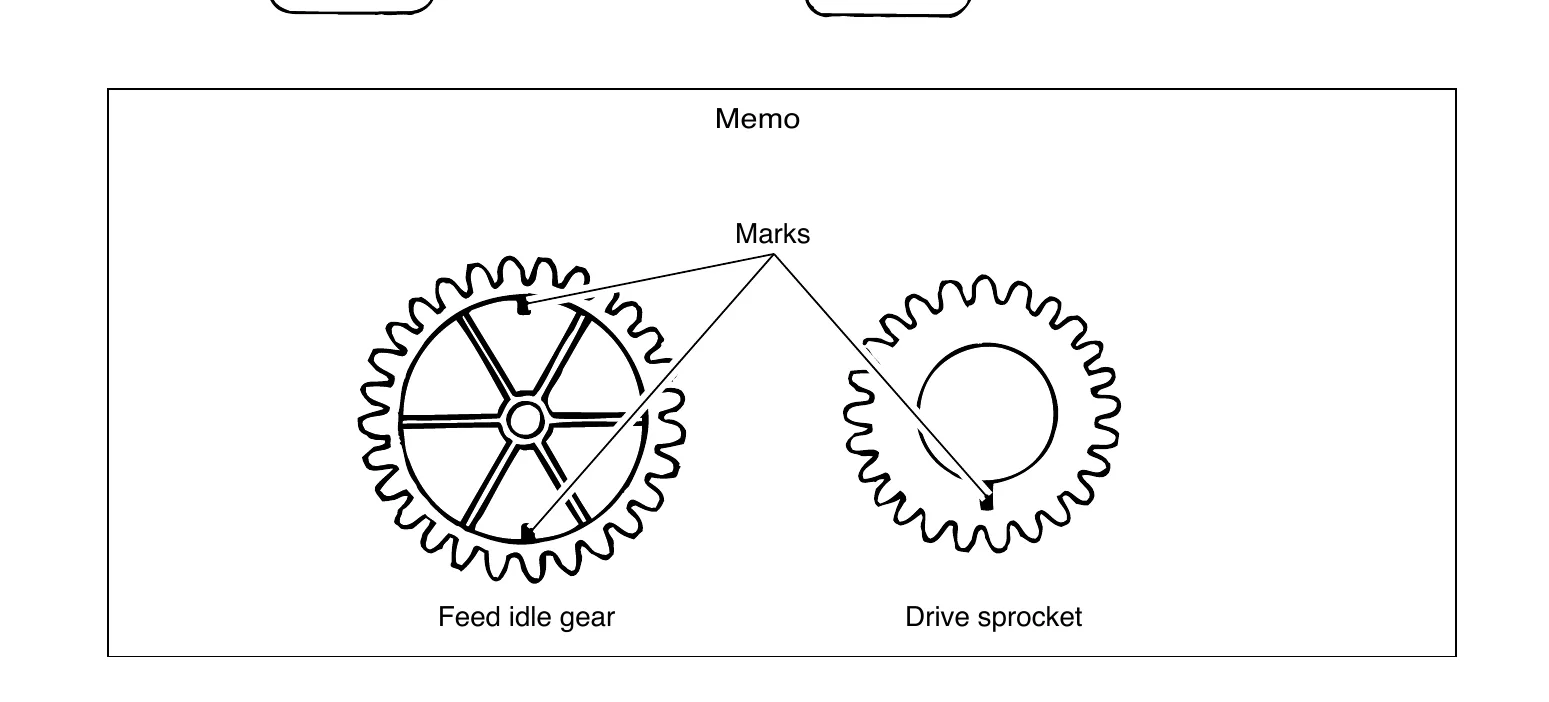
Each gear has a small mark stamped on one tooth. Because the drive sprocket and the feed idle gear have a different number of teeth, there is only one position where the marks on both gears line up — and that one position is also the position where every shaft’s keyway/groove ends up aligned the same way. If you reassemble the gears without checking this, they can mesh in a position that’s off from the correct one, even though everything looks and turns fine.
The procedure
1. Locate the marks. Each gear has one small mark on a tooth. On the feed idle gear, note the mark is directly across the gear from where it meshes with the drive sprocket — the diagram below shows both marks pointing to the same relative spot on each gear.
2. Rotate the gears until the marks line up in a straight line. Turn the feed idle gear and/or the drive sprocket until their marks are aligned on a straight line running through both gear centers — see the reference diagram:

3. Confirm you found the one correct position. Since the gears have different tooth counts, only one rotational position lines the marks up correctly — don’t settle for “close enough.” If the marks are properly matched, every shaft’s groove in the assembly will end up facing the same direction.
4. Reassemble and secure. Once aligned, finish reassembling the rack (retaining rings, side plate, etc.).
5. Run the leader card pass check before processing real film. This is called out explicitly in the manual as a required final step — feed a leader card through the reassembled rack and confirm it passes cleanly before running any customer film. See the Rack 1 stuck leader card write-up for the full test procedure if needed.
Quick reference
| Step | What to check |
|---|---|
| Locate marks | One mark per gear tooth, on both feed idle gear and drive sprocket |
| Align | Rotate gears until both marks sit on one straight line through both centers |
| Verify | Only one position is correct — all shaft grooves face the same direction when it’s right |
| Confirm | Leader card pass check, every time, before real film |